 Standout
For client sites built in Cursor, Claude Code, or Codex
Your AI built it.Standout makes it client ready.
Paste the live URL you are about to send. Standout scores the rendered page and tells your coding agent what to fix. The before-and-after proof comes after those fixes land.
Input
The live client URL
Action
Fix through your coding agent
Output
Before-and-after client proof
The outcome
Same brief. Same agent. A page worth showing.
This controlled build uses the same roofing brief on both sides. The default page stopped at functional. The Standout page went through direction, implementation, and rendered review.
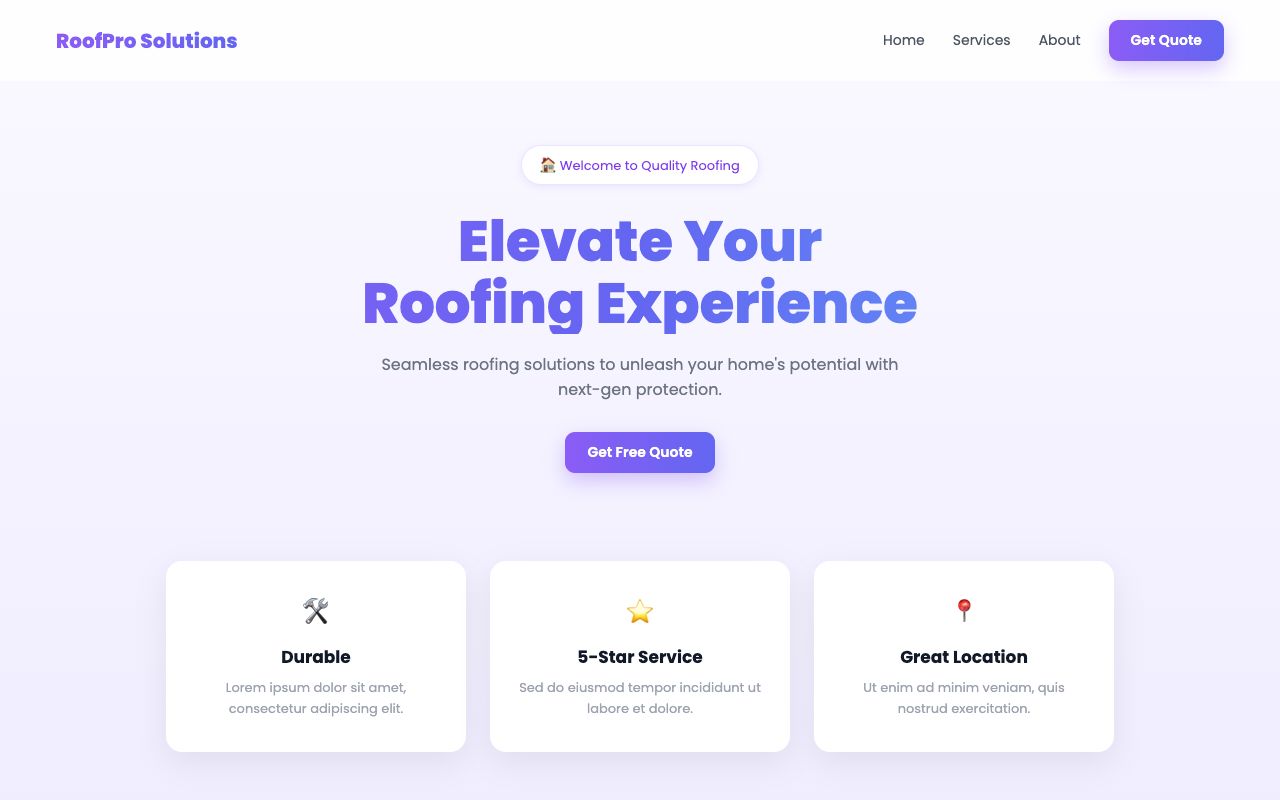 Default AI
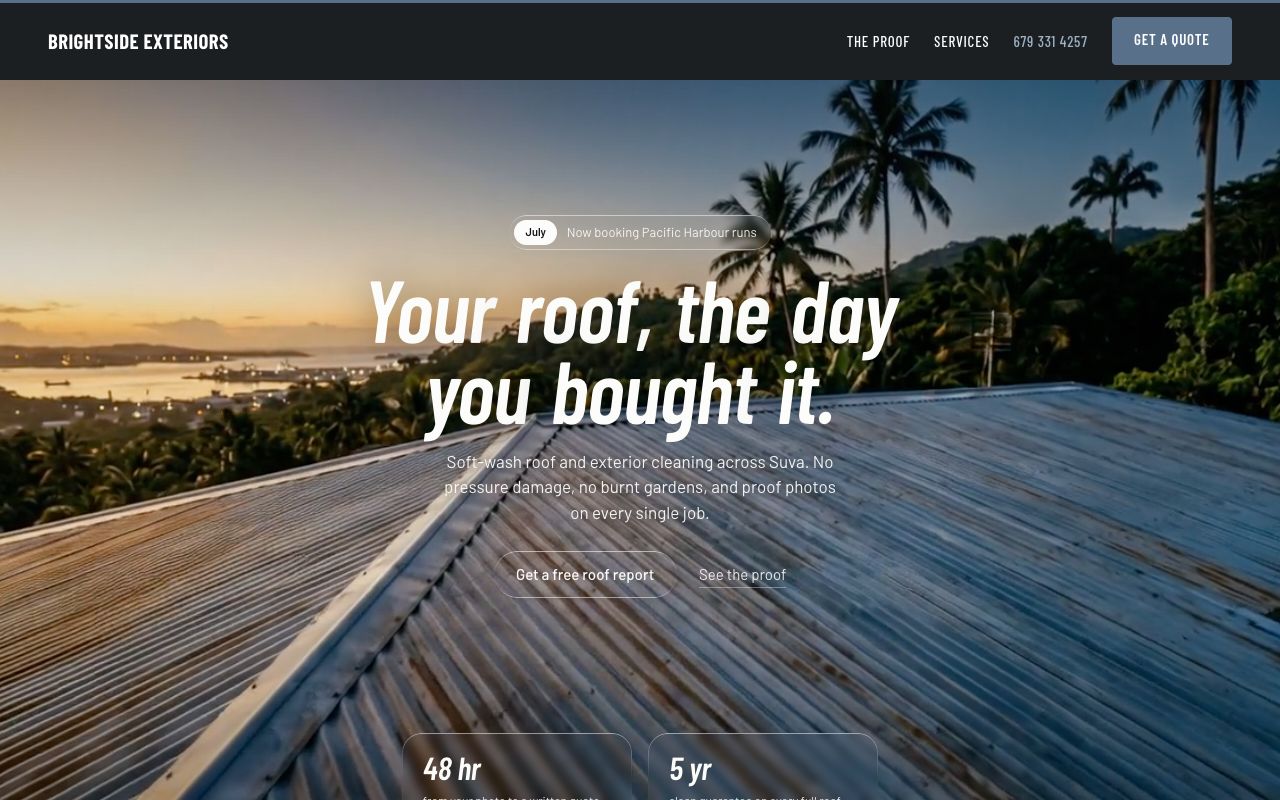 Standout
Drag the line to inspect the difference. This is a controlled demonstration, not a customer claim.
Open the finished siteOne finished loop
Stop collecting advice. Finish the page.
The public product is one action. Standout's directions, primitives, references, and critique engine work behind it.
Works inside your coding agent
Claude Code, Codex, Cursor, Windsurf, and any MCP client.
Inspect the real page
Standout renders the URL at phone and desktop widths, scores it against 73 design checks, and names the blockers that matter.
Your agent fixes the code
The coding agent gets one prioritized implementation plan for hierarchy, spacing, typography, composition, conversion, and mobile behavior.
Prove the improvement
Standout rerenders the result, compares the score, and produces a clean before-and-after link you can put in front of a client.
This is the product
Run the loop inside your own agent.
The scan is the preview. The work happens in Cursor, Claude Code, or Codex: your agent applies the fixes, Standout re-checks the live page, and you forward the proof. Connect once and give the agent one instruction.
Start with 25 free calls. No account or card.
One command
claude mcp add --transport http standout https://standoutmcp.io/api/mcp
Adds Standout with no key. Then tell your agent: Get me a Standout trial key and use it. It provisions a free 25-call key in the chat and prints the one line to reconnect with it. Append --scope user to enable it everywhere.
In the chat, say
Get me a Standout trial key and use it.
Your agent calls get_free_trial_key, shows you the key, and hands you the one line to reconnect with it. No copying a key between tabs. If it prints a key, you are connected.
Then say this
One prompt starts the inspect, fix, and proof workflow.
Use Standout to polish and prove this client website. Start with polish_and_prove, apply the highest-impact fixes in the repository, render the result at phone and desktop widths, fix every blocker, then call polish_and_prove again with the improved page and give me the client proof link.
Free trial
$0
One free scan plus a 25-call MCP key. No account and no card.
Pro for repeat client work
$19 /month
2,000 calls, white-label reports, commercial Layers, and monitoring for 10 shipped sites.
The honest answers
Know what you are buying.
- What does Standout actually do?
- Standout inspects the rendered page, gives your coding agent the exact design fixes, and checks the result again. The goal is a visibly better page and a before-and-after report, not another folder of design advice.
- Does Standout edit my repository?
- Your coding agent edits the repository. Standout supplies the direction, fix plan, rendered checks, and publish gate that the agent follows until the page is ready.
- I don't use a coding agent. Can I still use this?
- The free scan still scores a public page. Fixing the page and producing client proof runs inside Cursor, Claude Code, Codex, or another MCP client. If you are not building with an agent this week, Pro is not for you yet.
- What do I get before paying?
- The first URL scan is free and needs no account. Connect your agent and it can mint a 25-call trial key itself. No card.
- How much does Standout cost?
- The first scan is free and the 25-call MCP trial needs no card. Pro is $19 per month for 2,000 calls, client reports, commercial Layers, and monitoring.